Skulk
Skulk is an interconnect fabric for multi-node AI compute.
It brings compute, models, and capabilities together in one platform. Run inference across compatible machines, then extend the fabric with plugins that add services, tools, and complete applications. Capabilities can expose callable operations, their own application interfaces, or both.
Skulk discovers nodes, places models on compatible hardware, manages their files and processes, and serves inference through shared APIs. Its capability and plugin system lets developers build on that foundation, with discoverable providers, declared operations, health, and lifecycle management. You can operate the fabric from its web dashboard, the native phone app, or your own tools.
A single machine is a complete cluster. Add compatible machines to run more models concurrently or distribute a supported model across devices when it cannot fit on one. Apple Silicon and Linux GPU nodes can belong to the same cluster; the model, engine, available memory, and network determine which nodes can participate in each placement. Joining a cluster does not make every GPU interchangeable or every model distributable.
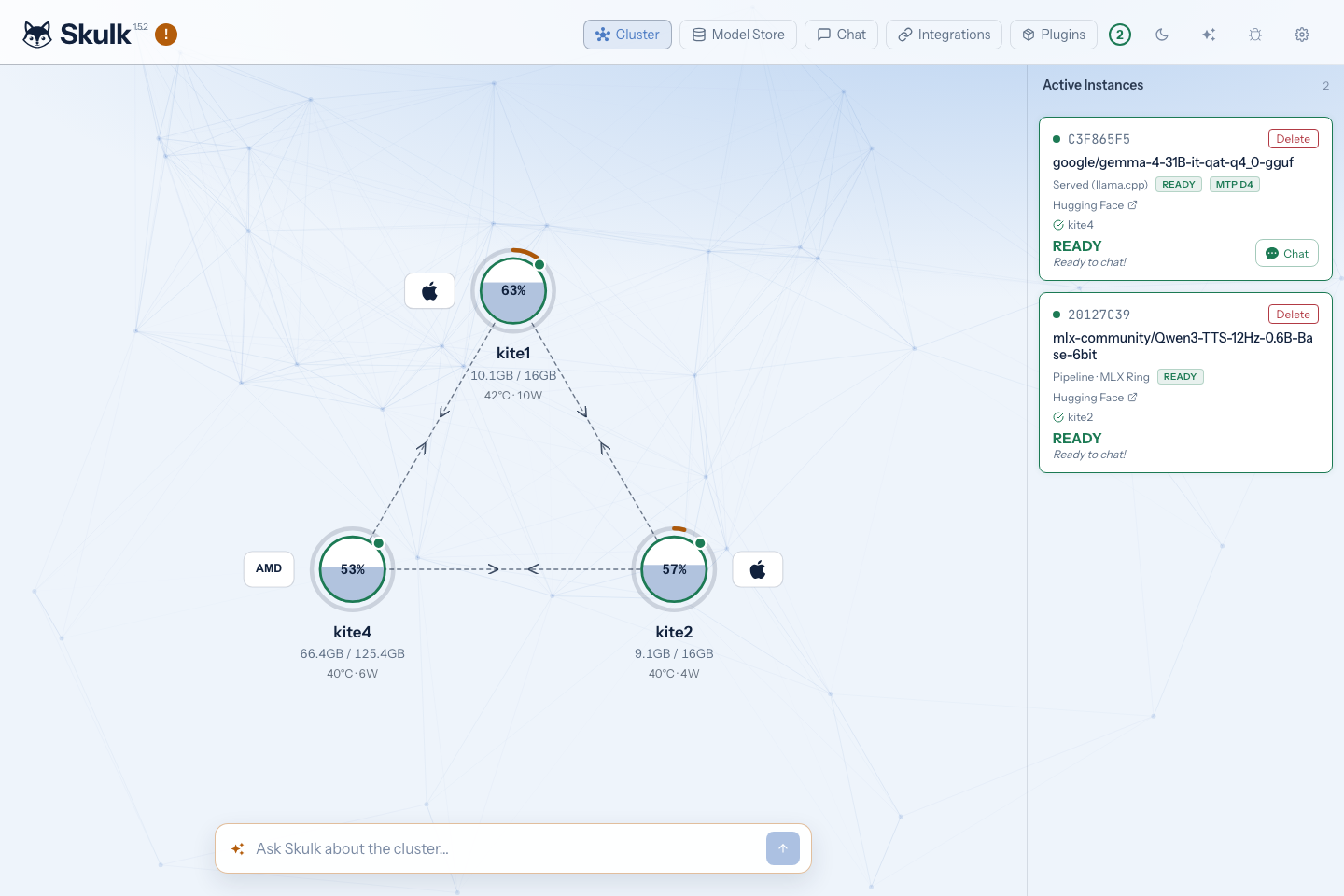
Screenshots show the actual dashboard and live cluster state at capture time. Model availability and resource readings change as the cluster runs.
Extend the fabric with capabilities
A capability adds something you can use: a service, a tool, or an application that works with the fabric. Plugins package those extensions, and capability nodes make their status and available actions visible in the dashboard. When a capability shares a host with a compute node, its satellite in the cluster topology gives you a direct way to inspect it and open its interface.
See Capabilities and plugins to discover and use capabilities, understand how they are packaged, and explore the developer contracts.
Start with one model
- Install Skulk on a supported Mac or Linux machine. The desktop app packages the runtime and dashboard; headless and source installations are also available.
- Start the node and open its dashboard. Check the Cluster view, then open Model Store → Find Models. Choose a compatible model and review its placement. Downloaded files and running instances are separate: a stored model still needs a ready instance before it can serve requests.
- Chat or connect a client. Use dashboard Chat, copy a configuration from Integrations, or follow the API first-success flow.
The dashboard guide explains the controls. The operator runbook covers recovery and day-to-day maintenance.
What you can do
| Task | How Skulk supports it | Learn more |
|---|---|---|
| Chat, code, and reason | Streaming text, model-aware reasoning, tool calls, and structured output through compatible models and engines | Inference guide |
| Connect existing applications | OpenAI-compatible chat, Responses and embeddings; Anthropic Messages and Ollama adapters; configuration recipes | Integrations |
| Work with images | Image inputs for compatible vision models, plus image generation and editing through supported placements | Image APIs |
| Listen and speak | Batch transcription, synthesized speech, voice discovery, realtime transcription, and voice activity detection | Speech and realtime |
| Generate video | Asynchronous jobs with status, content retrieval, cancellation, and deletion, using compatible video cards and engines | Video jobs |
| Run larger models | Supported MLX pipeline/tensor placements and served-engine configurations use compatible groups of nodes | Architecture, GPU nodes |
| Reduce repeated downloads | A canonical model store, node-local staging, resumable downloads, companion artifacts, and disk-capacity checks | Model store |
| Understand model compatibility | Exact artifact cards, signed catalog metadata, engine support, and live hardware capability checks | Model cards, capabilities |
| Speed up supported models | Speculative decoding with model-specific drafter or assistant artifacts; configurable KV cache behavior | Speculative decoding, KV cache |
| Ask about the cluster | Skulk's resident Steward uses cluster tools and presents governed proposals for operator review | Talk to Skulk |
| Add capabilities | Providers and managed plugins expose typed operations alongside compute nodes | Capability nodes, extensions |
| Operate remotely | Paired native app access through an encrypted relay carrier, or browser access on a trusted private network | Native app, remote access |
| Diagnose problems | Node doctor, live runner observations, diagnostics, traces, and optional centralized logs | Node doctor, tracing, logging |
Feature availability is specific to the selected model and its ready placement. For example, a text-only model cannot accept images, a batch transcription model does not acquire realtime support because the endpoint exists, and an embedding instance is not a chat model. Use the catalog's capability information and placement preview before starting work.
One ecosystem, clear responsibilities
The Skulk runtime owns cluster state, model placement, inference, the dashboard, and authorization. The desktop app installs and supervises a local runtime. The native operator app controls a remote cluster without becoming a compute node. Relay carries encrypted traffic between that app and a cluster gateway.
The Foxlight Model Registry supplies signed metadata describing exact model artifacts. Skulk Weights Publisher prepares companion artifacts referenced by those cards. Capability nodes add separately installed operations under the host's lifecycle and authority rules. The Steward benchmark evaluates candidate models; the operator-facing Steward itself runs inside Skulk.
Read the ecosystem guide for the end-to-end flow from model publication to download, placement, inference, and remote operation.
Choose your next step
- Use Skulk: install, dashboard, native app.
- Integrate an application: API guide, endpoint reference, integration recipes.
- Operate a cluster: operations, remote access, Thunderbolt, multi-network clustering.
- Extend or contribute: extensions, controller integration, source builds, architecture reference.